User Accounts
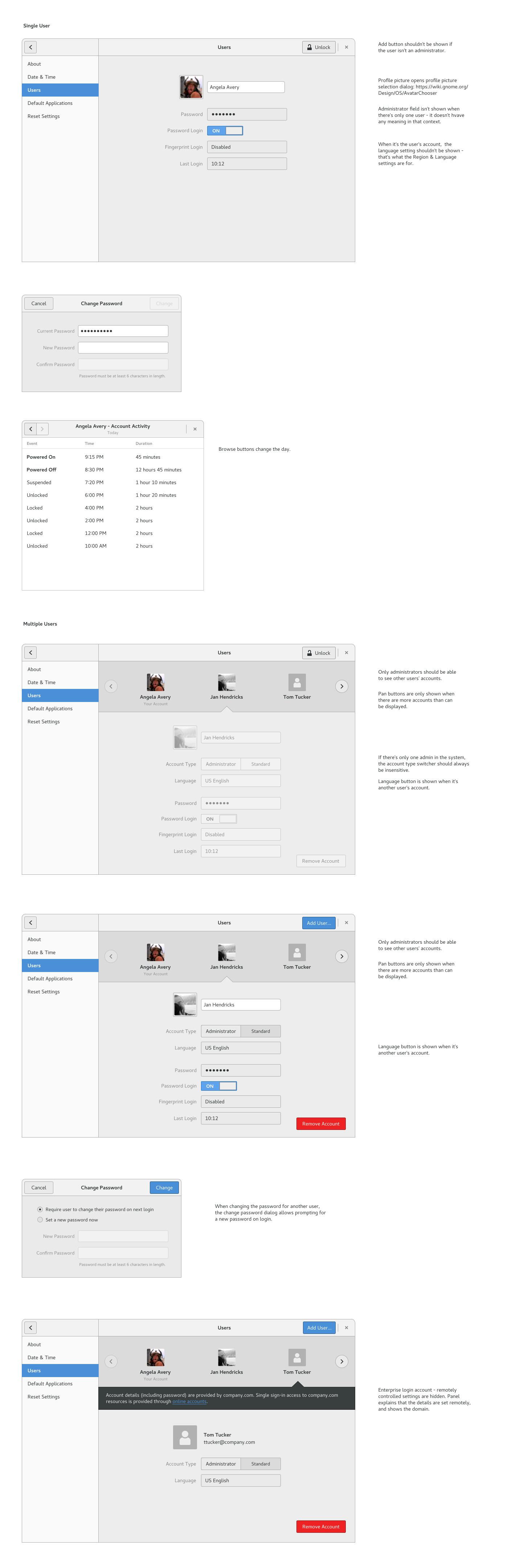
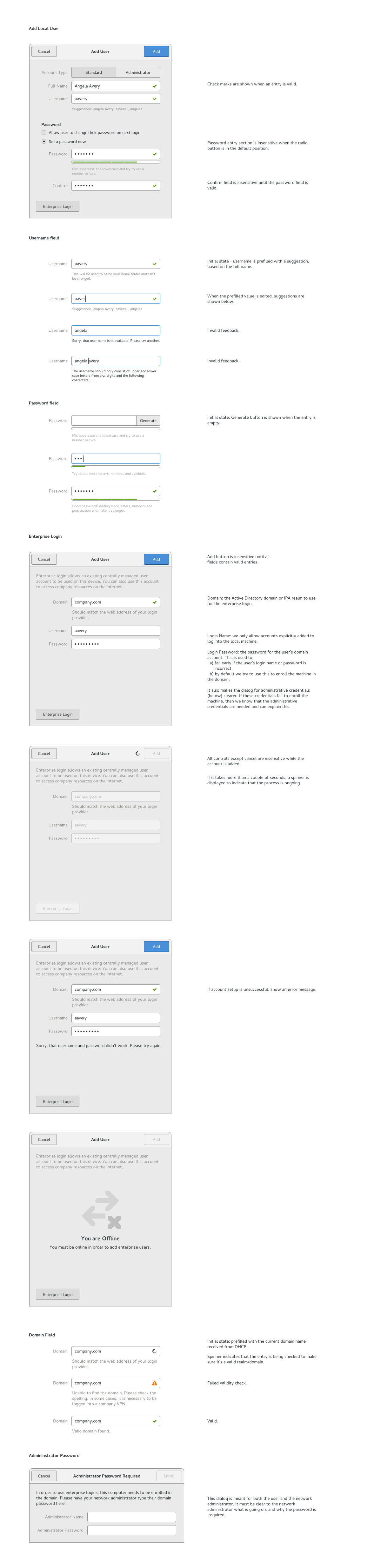
The goal of this settings panel is to provide access to system login user account setup and creation. These login user accounts are distinct from the online accounts that may be associated with a particular user. This is not meant to be a system administration console but rather a somewhat streamlined way to configure fast user switching, user authentication and authorization, and parental/supervisor controls.
Contents
Participants
JakubSteiner, AllanDay, MatthiasClasen, FelipeBorges
Goals
- Add and remove users
- Edit user names, passwords, and user images, toggle whether a password is required for login
- Integrate with enterprise environments
Relevant Art
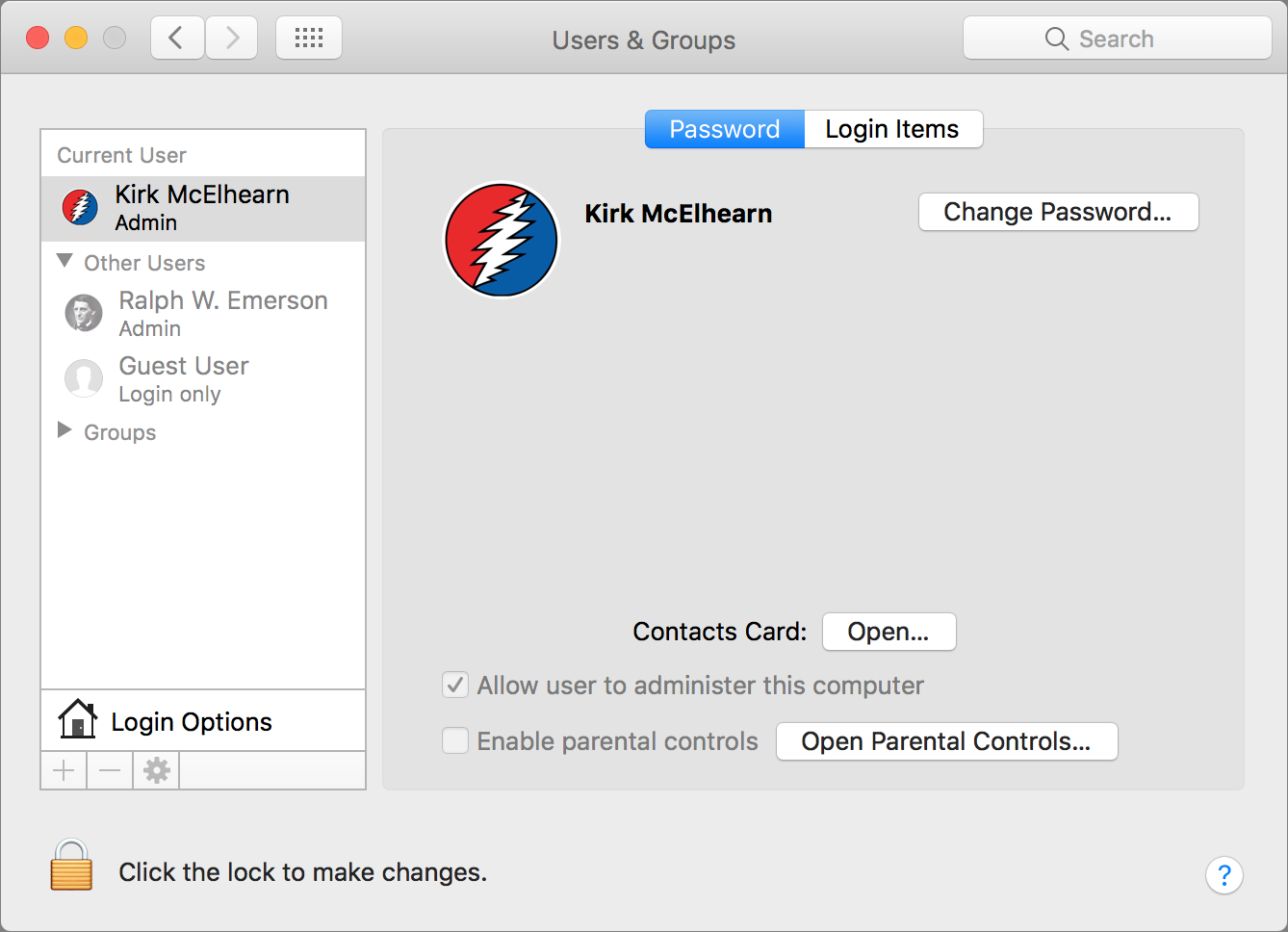
OS X
GNOME
http://fedoraproject.org/wiki/Features/UserAccountDialog#User_Experience
Group management
Tentative Design
Current Design:
Notes
- If there is only one user account, automatically login and lock after boot
- If there is only one user account and Password Login is set to off, automatically log in after boot
- If there is more than one user account, always present the user list on boot
- If Password Login is set to off, selecting a user in the user list will directly log in without a password prompt
- User accounts should always have a password
Relevant bugs
Add user account dialog redesign - FIXED
Automatic login is confusing (change "Automatic Login" to "Password Login"
Support for password-less login (users should always have a password)
Future:
Implementation at: https://git.gnome.org/browse/gnome-control-center/log/?h=wip/feborges/new-users-panel